
McDonald's
McDonalds USA, LLCFood & Drink
4.0414.77K Reviews
- Version
- 26.72.5
- Installs
- 50.00M
- Age Rating
- Everyone
Screenshots
Our Review of McDonald's
 Analysis by Appyee
On a busy day, I like having a way to check a McDonald’s menu and plan an order before I reach the counter. The McDonald's app is built around that familiar routine, with ordering, restaurant deals and rewards in one place. It is a free Food & Drink app from McDonalds USA, LLC, and its usefulness depends less on flashy extras than on whether it makes a stop easier when I’m hungry, short on time, or trying to make a deal work.
Where a reliable connection matters
The app is most useful when it can load current menu information, offers and ordering steps. I would treat connectivity as part of the ordering process rather than assume every screen will be ready without a connection. If I’m deciding what to get while walking to a restaurant, I’d check the menu and any deal I want before joining a queue; doing that early leaves less to sort out at the counter and gives me time to change my mind.
That preparation also helps avoid a small but familiar frustration: finding an offer that looks appealing, then discovering I still need to make choices or complete steps before using it. I’d open the app while I have a stable connection, review the terms shown for the offer, and make sure the order reflects what I actually want. I wouldn’t rely on a screenshot or a remembered deal as a substitute for checking the current in-app details.
Using it between errands, in the car, or with a group
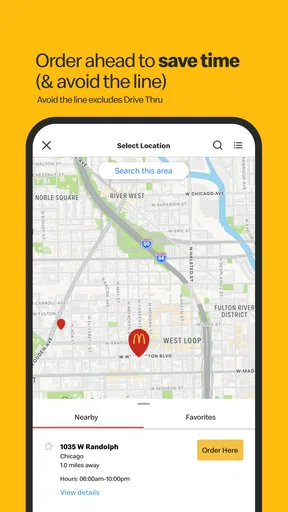
A realistic use case is picking up lunch between appointments. I can look through the menu before leaving, consider customizations, and arrange the order around the restaurant stop instead of deciding everything in a line. For a family or a group, the advantage is less about speed alone: one person can check preferences and build a more considered order before everyone is waiting. I’d still review the finished choices carefully, especially when several meals or changes are involved.
It suits people who already visit McDonald’s often enough to make its offers and rewards relevant. If I only stop there once in a while, I may find that browsing the app is more effort than simply ordering in person. It is also specifically tied to McDonald’s, so it is not a general restaurant-discovery or meal-planning tool. Someone comparing nearby places across different chains may be better served by a broader food-ordering option.
On mobile, there’s a practical trade-off between ordering ahead and keeping the process simple. A larger order can be easier to review on a phone before it is submitted, but small text, distractions, or an unstable connection can make careful checking harder. I’d avoid building an order while driving, and I’d wait until I’m parked or otherwise able to focus. Convenience is only useful when the order is accurate.
What to do when a screen stalls
If a menu or order step takes too long to load, I would first check whether my connection is working, then give the screen a moment before tapping repeatedly. Repeated taps can make it unclear whether an action registered. If I’m close to the restaurant and need to keep moving, I’d switch to ordering with staff rather than let an app delay the meal. The counter remains the straightforward fallback, and the app shouldn’t be treated as the only way to place an order.
For an order that appears incomplete or unclear, I’d pause and confirm what the app shows before trying again. That matters most when an offer, customization or payment step is involved: starting over without checking could create confusion or duplicate effort. I find it sensible to keep the final order screen available long enough to verify the items and collection choice, then ask restaurant staff if anything does not match what I expected.
Being thoughtful about data and attention
Because the app brings menus, offers and ordering together, I’d use it when I actually expect to visit rather than open it repeatedly out of habit. That keeps the experience purposeful and avoids spending time scrolling through food options when I’m not ready to order. If I’m trying to limit phone use, I can decide on a rough meal beforehand and use the app only to check the details that matter, such as available choices or a relevant offer.
The app is free to download, but I still think of the real value in terms of how I use it: an offer is useful only if it fits a meal I already want, and points are worthwhile only if I return often enough to care about rewards. I wouldn’t add food just to chase a deal. That small bit of restraint makes the app more helpful as a practical ordering companion and less like a reason to buy something I didn’t plan on.
Its position among the usual alternatives is clear. Ordering face to face is simpler when I have a quick, uncomplicated request or don’t want to use my phone. A general delivery app can be more convenient when I’m choosing among restaurants, while McDonald’s own app is the focused option when I want to check this chain’s menu, offers and rewards together. Which is better depends on the moment, not on one approach being universally faster.
For people wondering whether it is suitable for younger users, the app carries an Everyone age rating. The store shows a 4.2 average from around 2.2 million ratings, and it has passed 50 million installs. Those figures suggest that it has a large audience, but they don’t guarantee that every local ordering experience will feel equally smooth. I’d judge it by whether the nearby restaurant and the app’s current options fit my own routine.
Getting Started with the McDonald's App
So, first things first, downloading the app is a breeze. Whether you’re on Android or iOS, it’s a quick search away in the app store. Once installed, you’re greeted with a clean and intuitive interface. Signing up is straightforward, and they even let you connect through social media accounts, which is convenient if you like to keep things simple.
Exploring the Features
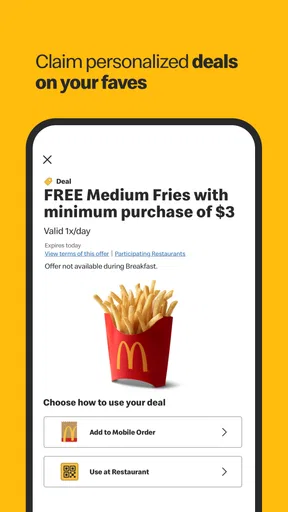
What really stands out about the McDonald's app is its user-friendly layout. You can easily navigate through menus, promotions, and deals. The app frequently updates with exclusive offers, which means you can snag a Big Mac or those addictive fries for less. Who doesn’t love a good deal, right?
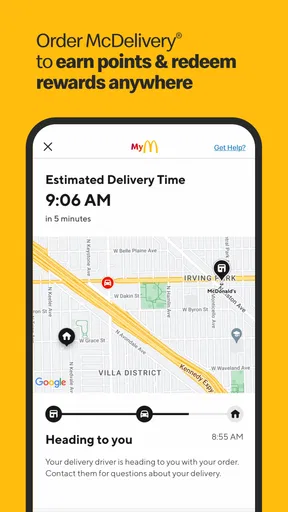
Ordering through the app is also a game-changer. You can customize your order, which is great if you’re picky about your pickles, and then choose whether you want to pick it up curbside, in-store, or even have it delivered. It’s all about convenience, making those spontaneous cravings just a tap away.
Loyalty Rewards and More
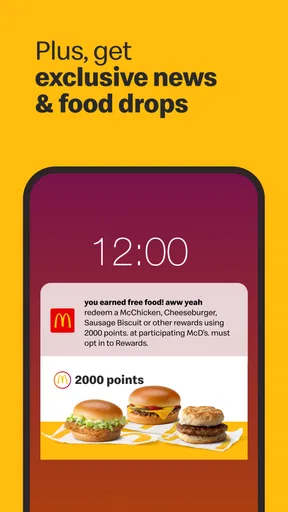
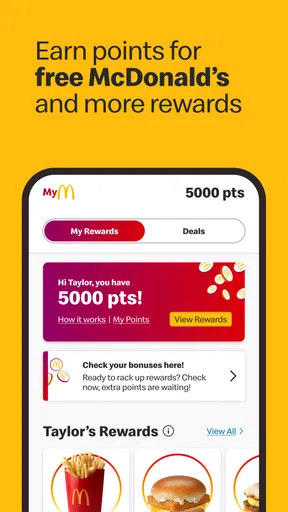
Now, let’s talk about the loyalty program. Every purchase you make earns you points, which you can later redeem for free food. It’s a smart way to keep customers coming back and honestly, who’s complaining when free food is involved? The app also sends regular updates about new items and promotions, so you’re always in the loop.
Another neat feature is the nutritional information readily available for each menu item. It’s perfect for anyone watching their calorie intake but still wants to indulge in a fast-food treat now and then.
Final Thoughts on the McDonald's App
Overall, the McDonald's app is a handy tool for anyone who frequents their restaurants. It saves time, offers good deals, and even helps you keep track of your fast-food indulgences. Whether you’re a regular customer or just occasionally drop by, this app makes the whole experience faster and more convenient. It’s definitely earned a spot on my phone, and I’d recommend giving it a try next time you find yourself with a craving.
Privacy and Permissions
See what permissions an app requests and how it handles your data.
- Device & app history
- retrieve running apps
- Location
- approximate location (network-based), precise location (GPS and network-based)
- Phone
- read phone status and identity
- Photos/Media/Files
- read the contents of your USB storage, modify or delete the contents of your USB storage
- Storage
- read the contents of your USB storage, modify or delete the contents of your USB storage
- Camera
- take pictures and videos
- Wi-Fi connection information
- view Wi-Fi connections
- Device ID & call information
- read phone status and identity
- Other
- view network connections, connect and disconnect from Wi-Fi, full network access, run at startup, reorder running apps, use accounts on the device, control vibration, prevent device from sleeping, set an alarm, read Google service configuration
Verdict
Strengths of McDonald's
- User-friendly interface for easy navigation.
- Quick access to exclusive deals and offers.
- Order customization is highly flexible.
- Location-based services enhance convenience.
- Mobile payment options streamline checkout.
Limitations of McDonald's
- Occasional app crashes disrupt experience.
- Limited menu availability in some regions.
- Location services drain battery quickly.
- Frequent updates can be inconvenient.
- Loyalty points tracking can be inconsistent.
Similar Picks in This Category
View All
Rappi: Food Delivery, Grocery
Rappi, Inc - Delivery3.5

McDonald’s: Cupons e Delivery
Arcos Dorados4.3

Swiggy: Food Instamart Dineout
Swiggy4.7

Blinkit: Groceries & more
Blinkit4.8

foodpanda: food & groceries
Foodpanda GmbH a subsidiary of Delivery Hero SE4.0

Zomato: Food Delivery & Dining
Zomato4.7
You May Also Like
View All

Frequently Asked Questions
What features does the McDonald’s app offer?
The McDonald’s app provides a convenient way to order food, customize your meals, and pay directly from your smartphone. It also includes features like exclusive deals and discounts, a restaurant locator, nutritional information, and the ability to save your favorite orders for quick access. Notifications keep you updated on new menu items and promotions.
Is the McDonald’s app available worldwide?
The McDonald’s app is available in many countries, but its features may vary depending on the region. Some countries might offer exclusive local deals, while others may not have certain functionalities like mobile ordering. It’s advisable to check your local app store for availability and specific features in your country.
How secure is the McDonald’s app for making payments?
The McDonald's app uses secure payment methods to protect your financial information. It typically employs encryption and other security measures to ensure that your credit card details are safe. Additionally, you can opt for alternative payment methods like Apple Pay or Google Pay for added security and convenience.
Can I customize my order through the McDonald’s app?
Yes, the McDonald’s app allows you to fully customize your order. You can add or remove ingredients, select meal sizes, and choose from a variety of sides and drinks. This customization feature ensures that you can tailor your meal exactly to your preferences before placing the order.
Does the McDonald's app offer any loyalty rewards?
In some regions, the McDonald’s app provides a loyalty program where you can earn points for every purchase. These points can be redeemed for free menu items or special discounts. However, the availability of loyalty rewards depends on the location, so it’s best to check the app for specific details in your area.
